For technicians

Find the answer. Continue the job.

Ask Manuel by voice, text or scan and get practical technical guidance from manufacturer documentation and your own company knowledge — with the source behind the answer.

Talk to us
Built for the moment you're standing in front of the equipment.
Installatie
Manual
Parameter 720
Fault code E133
Schematic
Part no.
Previous solution
9:41
Manuel
Which parameter controls the heating curve on this model?
High confidence
Parameter 720
Sets the heating curve. Lower it by 0.2 per step and check the flow temperature.
Manufacturer manual
p. 47
Ask your question…
What technicians actually use Manuel for

The job is bigger than fault codes. So is Manuel.

32%
of all questions
Fix the malfunction
Error codes · symptoms · diagnosis · first steps
36%
of all questions
Leave the device correctly
Parameters · settings · maintenance · commissioning
33%
of all questions
Understand what’s in front of you
Manuals · schematics · components · parts
{{ jPct }}
Manuel
{{ jTag }}
{{ jQ }}
{{ jT }}
{{ jB }}
Unit display
E 133
Heating curve 1,5 → 1,3
Wiring diagram
CONTROL S5 PUMP
{{ jSrc }} {{ jPage }}

Ask the way you work.

No perfect search terms. No digging through menus. Start with the equipment and ask the technical question in your own words.

Scan
Scan the product label and start from the equipment.
Type
“Where is sensor S5 located?”
Voice
“What should I check first with this fault?”
Manuel
Where is sensor S5?
Sensor S5
Bottom left under the heat exchanger, behind the insulation plate. See schematic p. 31.
Where is sensor S5?
“What should I check first with this fault?”
Voice converted to text
AIR-TO-WATER HEAT PUMP TYPE PLATE
MODELWH-MDC07J3E5
SERIAL2J41 0087 3312
REFRIGERANTR32 · 1,30 kg
SUPPLY230 V ~ 50 Hz
MADE IN EU
Recognised
Heat pump · WH-MDC07J3E5
Manuals, fault codes and parameters for this heat pump are ready.
Source-backed answers

Every answer shows where it comes from.

See where the answer came from and open the original technical documentation whenever you need to check it yourself.

Manuel
High confidence
Parameter 720
Heating curve setting
1 Open the service menu and go to parameter 720.
2 Lower the heating curve by 0.2 per step.
3 Check the flow temperature after 15 minutes.
Source
Manufacturer manual · Page 47
Open source
Company knowledge
Tip from a colleague · previous job
View
Source-backed
Page reference
Practical steps
Installation manual.pdf
47 / 128
7.3 Heating parameters
720 — Heating curve
0,2 – 4,0
Sets the ratio between outdoor temperature and flow temperature. Factory setting 1.5.
“On this type, check the outdoor sensor first — saves a trip.” — Harry
Source
Manufacturer manual · Page 47
Open source
Installation manual.pdf
47 / 128
7.3 Heating parameters
720 — Heating curve
0,2 – 4,0
Sets the ratio between outdoor temperature and flow temperature. Factory setting 1.5.
Company knowledge
Tip from a colleague · previous job
View
From your own knowledge layer
Previous job
“On this type, check the outdoor sensor first — saves a trip.” — Harry

One place to start, whatever you’re looking for.

Faults
Parameters
Manuals
Schematics
Parts
Maintenance
Commissioning
The question
{{ kQ }}
Manuel
{{ kA }}
{{ kSrc }}

{{ kDoc }}
{{ kDocMeta }}
Open source

A problem solved once shouldn’t need to be solved from scratch again.

Manuel combines manufacturer knowledge with the practical knowledge already inside your company.

Monteur
Technician A
Week 12 · solves a tricky fault
Experience captured
“On this model: check the sensor connection before replacing the PCB.”
The solution becomes a structured company note in your own knowledge layer.
Knowledge layer
Monteur
Technician B
Week 19 · same symptom, different job
Replace the PCB on this model?
From your own knowledge
Check the sensor connection first — Technician A, week 12.
Manufacturer manual
PCB replacement procedure · p. 62
Job continues
Monteur
Technician A
Week 12 · solves a tricky fault
Experience captured
“On this model: check the sensor connection before replacing the PCB.”
The solution becomes a structured company note in your own knowledge layer.
Saved to company knowledge
Knowledge layer
Knowledge available
Monteur
Technician B
Week 19 · same symptom, different job
Replace the PCB on this model?
From your own knowledge
Check the sensor connection first — Technician A, week 12.
Manufacturer manual
PCB replacement procedure · p. 62
Job continues
On the job

Less searching. Fewer interruptions. More jobs moving forward.

Arrive
Unit and customer on site
Identify
Model and type plate identified
Ask
Question in your own words
Verify
Source and page reference included
Continue
Job continues
Without Manuel
search the portal
call a colleague
search a PDF
wait for the supplier
With Manuel
Arrive
Unit and customer on site
Identify
Model and type plate identified
Ask
Question in your own words
Verify
Source and page reference included
Continue
Job continues
Without Manuel
search the portal
call a colleague
search a PDF
wait for the supplier
Less searching
Technical information is available without switching between manuals, portals and other sources.
More independence
Technicians can use existing knowledge before calling the service desk or an experienced colleague.
Knowledge travels with the team
Previously solved problems become reusable instead of disappearing into conversations and memory.
In the field

Built for the moment you’re standing in front of the equipment.
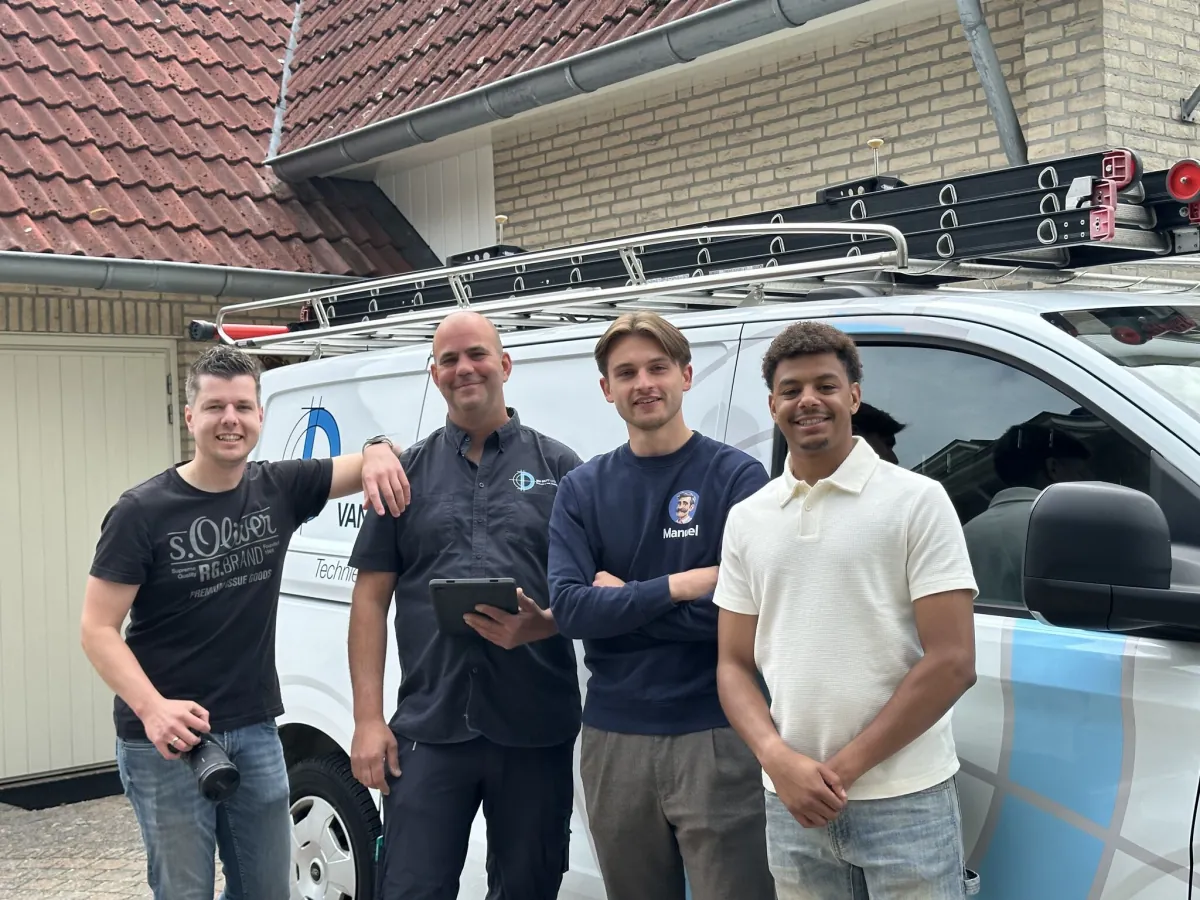
Monteurs van Van Delft Groep bij de servicebus
Van Delft Groep
Manuel in the van, with the technician.
“We were too dependent on individual knowledge, and we wanted to organise that more intelligently.”

Peter de Jong
Peter de Jong
Director, Van Delft Groep

Take your technical knowledge to every job.

Manufacturer information and your company’s experience, available when you need it.

Talk to us
Fault code E133
Parameters
Manuals
Type plates
Schematics
Parts
Previous solutionen
Gas supply pressure

Manuel, de digitale collega van de monteur
Manuel
One technical knowledge layer for service teams and manufacturers.
Contact
info@manuel.chat 0543 227 272
Manuel B.V. · KVK 96013540
Legal
Privacy policy Terms & conditions
© 2026 Manuel® All rights reserved.
Winterswijk, the Netherlands
Manuel
Van Delft Groep · Manuel